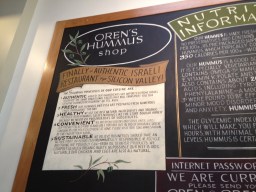
Was here the other day, and really fantastic food — highly recommend it:
reviews


Andalu
A great little spot in the mission in San Francisco [4sq]:




Setting up my new MacBook Air in the age of the “cloud”
Everything today is in the Cloud – our photos, documents, sites, etc.

What I hadn’t realized was how much my own laptop’s initial setup was tied to the cloud.
I just got a new MacBook Air 13″ — which I must say is a big improvement over the 2010 model, and here were my steps to getting things setup:
- Install Dropbox (love LAN sync)
- Install 1password (which for me requires Dropbox)
- Install Evernote (via Apple App Store — runs locally, but cloud’ish)
- Install Skype (non-cloud)
- Install Adium (non-cloud)
- Install Spotify (all my music is in the cloud)
- Install mailplane (all my email is in the cloud / google apps)
- Download Chrome and watch in real-time as extensions appear (they sync) – pretty cool.
- Install sophos anti-virus (shows how popular Macs have become)
- Install office for mac (Downloaded trial version & put in my purchase code. I also use google docs a bunch, but for contracts Word is still the best w/ tracking)
- Turn off OS X auto correct !
So these 11 steps took all of about 25 minutes and then another hour or so for Dropbox to fully sync. And obviously nothing was installed from a DVD or USB.
I’m guessing that in 2 years when I setup the next new laptop, everything will either be in the cloud or get installed via an App store.
There are downsides in terms of control and what this means to some independent software publishers — but overall from a user experience, it’s pretty amazing to me how quickly things have shifted, and how just a few years ago you would spend a bunch of hours installing software, and do so largely from DVDs.
Eight Things to Fix in Offline Google Mail
Way back when, I used to use Google Gears to run gmail in offline mode in Firefox – usually when on a plane without wifi. Eventually Gears was retired, and a while after that, Google released a chrome app called Offline Google Mail that looked to do most of what you could once do with Gears.
I know I can install Thunderbird or run Mac Mail to do email offline, but I like the idea of using just my browser and not installing or running other client apps.
So on a recent trip Virgin America had non functioning wifi, and on the other leg it just barely worked. So I figured I’d put Offline Google Mail through it’s paces. What I found was pretty lacking and I took some notes 🙂
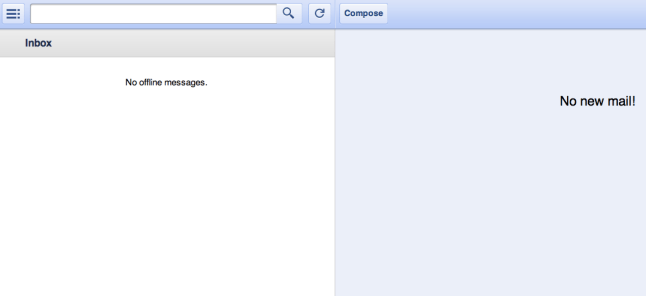
- 1) This is a biggie. It won’t work if you are offline ! WTF you may say ? “Offline” is in the app name. Yes, but to make it work, you need to first launch the app while you are online and then keep the browser open. Otherwise you see some version of the screenshot above. This seems like something that has to be fixed — as you never know when you might need offline access, and certainly don’t want to have to plan for it.
- 2) Reply-all always CCs me the sender. Small thing, but annoying to have to remove yourself each time if there is more than one person on a thread.
- 3) native spell checker doesn’t work.
- 4) can’t force plain text mode in reply, you get stuck in this visual/rich mode which I’m not a fan of
- 5) no option to send & archive, which is my default in gmail
- 6) A biggie. It doesn’t detect the email address (i use multiple ones) to which the email was sent to. Unlike desktop gmail – which replies from the account the email was sent to
- 7) When I click save, it picks a different time zone than my machine’s. Maybe that’s a gmail/calendar thing — but causes confusion.
- 8) Another biggie. It doesn’t download attachment or images, clicking “show images” doesn’t do anything. Would love an option to include attachments.
Too bad it’s not open source — could send in patches 🙂
Anyone else have a better setup or recommendation ?
I see other complaining too:
Google Plus Thoughts
 I’m really impressed with the launch of Google+. Given the number of people internally @ Google who’ve been dogfooding this, it’s equally impressive that it was kept under wraps for this long.
After using Google+ for a few days – wanted to jot down some early impressions:
- Having the new toolbar across all Google services is a huge deal. Whatever I’m doing during the day, good chance I’m on some Google property at one point, and seeing that little red notification box for Google+ is likely to draw me in for a few minutes.
- Email notifications were defaulted to on – and while I’ve since turned most of them off — the initial flood of emails that I’m sure everyone saw with people getting added to ‘Circles’ – gave the service that feel that everyone is joining up. Totally opposite from the Buzz launch, where everything was just ‘on’ day one.
- One problem I’m having though, is that I don’t recognize a big chunk of people that are adding me — similar to the Twitter followers for most people I would guess. Would be nice to have the Google People widget (or for bonus points Rapportive) integrated somehow (or simply on hover) to get a 360 snapshot of who these people are.
- I’m a google apps (for your domain) power user. As best I can tell, Google Apps users have been excluded from the initial Google+ rollout, so I’ve been using my google account/gmail account. I’m hoping that’s the right decision, and that I won’t need to redo everything I’ve done so far with my Google Apps account at some point.
- Related to the apps account — on Android, the Google+ app doesn’t find my gmail account — keeps trying my main google apps/domain account.
- I tested uploading a photo, and it forced me to also create an album — found that a bit odd
- How do I push my WordPress posts to Google+ ? I’m guessing that’s coming soon when the APIs are unveiled – but would have been nice to see an easy way to do that day 1 – or maybe I missed it ?
Overall: I think Google+ is a product that is going to gain some meaningful market share — and quickly. They’ve seemingly taken all the criticisms of the other services and addressed them – especially with Circles. And now we’ll see how all the services will compete head-to-head. One thing’s for sure, it’s great to see some competitions and innovation in this space and Google deserves huge credit (at least so far) for keeping at it, and not letting Buzz, Wave, and a few other launches deter them from tackling this space – i.e. a good lesson at not listening to your detractors, and just keeping your head down and working on good products.
Quora – Some Quick Thoughts
When I see the excitement and 24/7 coverage of Quora lately, these song lyrics jump in my head:
There’s something happening here
What it is ain’t exactly clear
The rest of the song doesn’t really fit — but the buzz and sense of wonderment is ever present. From the people I talk to, nobody seems to know exactly why this is happening with Quora — a relatively young questions & answers site — but it’s growing fast and attracting great people.
Here is a good example by way of a tweet on how people are feeling about Quora 😉
http://twitter.com/#!/pmaiorana/status/22470864280756225
No doubt, the site is solid, well built, and takes advantage of the facebook/twitter socialgraph in a very smart way. But Q&A sites have been around for a while, and most haven’t become a part of my day-to-day the way Quora has lately.
For me, the signal/noise ratio is incredibly high, and from it’s early days, it’s felt like a site for us internet industry people — lots of questions about startup life, funding, and valley specific stuff. I think a bunch of hand curation is going on to keep things very clean and smart. Here is a great recent example that I just wouldn’t expect to find on other q&a sites – and with people I know and respect answering the question: I run a SaaS company that just turned profitable…
But there are some mysteries too. For example, I hadn’t logged in for a few weeks, and when I did, I had over 150 followers — and was pretty sure I had close to 0 only a few weeks ago. How did these people find me ? I haven’t answered any questions yet — only voted up a few answers. Part of the answer might be because of this thread which alluded my google alerts for my own name: Who are the best business development people in Silicon Valley? (nice to just be mentioned among some of these rockstars).
The other mystery to me is that all these Quora pages are indexes in Google, but didn’t trigger a google alert — so maybe Google doesn’t see these responses to some of the questions. But where is the follower discovery happening ? Could it be just the facebook/address book import plus that sidebar ? Maybe ? Reminds me a bit of Instagram too — these social graphs grow very quickly now, without a ton of in-your-face promotion.
It’s going to be interesting to see how this develops. I don’t quite see a general q&a site taking off – in that it gets diluted like some of the previous q&a efforts, attracts lots of spam, and most importantly it’s hard to trust people from outside your industry — you just can’t be sure they are subject matter experts. It also feels like niche sites win over time — if I want travel/hotel advise I’m still checking out tripadvisor.com. If I’m researching a new gadget, I’m heading to gdgt.com . But maybe this time it will be different. I can’t wait to see how this turns out.
Shawarma in Yaffo
Late night snack (lafa, not pita) – and the equivalent of the NYC 2-eggs-on-a-roll 😉



Tripit
Been traveling a bunch lately, and started using the Tripit service again. I know many people are hooked on this, but I had looked at it previously when it first came out, but for whatever reason, it didn’t quite work for me. Now it’s rock solid.
The way it works, is with their super smart email parser, every confirmation email you get from airlines, hotels, car rentals, etc gets automatically put into trip itineraries, which are then accessible on mobile devices too. You can also manually enter in the info.
And what’s cool is that it finds the gate info for your flight, alerts you to changes, and allows you to share trip info as well.
Useful stuff.
Food Inc
For a couple of years I’ve been meaning to watch this documentary Food Inc, about how food is now produced in the U.S. — and just the other week saw that it became available on Netflix streaming and had no excuse — watched it on my iMac that night.
I found it to be a pretty powerful movie and the interviews with the farmers were very revealing. The stats on FDA investigations, and E. coli contamination were hard to argue with.
And is if on queue, this story popped into my stream today “1 million pounds of ground beef recalled: 7 people sickened by E. coli after eating meat from California company” while I was eating a quick bite, and I just had to blog this 😉
My $.02: Cost and lack of choice make it hard for everyone to pick locally grown produce and organic meats. I think efforts to have food labels include the source of the food, treatment of the animals, etc — and make it available online — are a good approach to this. Then people can vote with their pocketbooks on what foods they want to consume, and hopefully drive the marketplace to better choices and better pricing as farmers gain predictability of demand. In fact, in Food Inc there is a segment on how Walmart is moving in the direction of offering more sustainable and organic foods — purely because that’s where the market is heading and that’s what their customers want.
Movie trailer below:
Private Location Sharing with Glympse
I love foursquare, and have geolocation turned on for my blog and Twitter, but have often wanted to share my location with just a select few — and not the world.
The other day I ran across Glympse – and it does exactly what I was wishing for. You install the mobile app, and then you email or SMS who you would like to share your location with. The recipients don’t need the app, they just follow a private link, and they get to see in real-time where you are and the progress you are making. You also control the duration of the time where they can track you.
I find this perfect for meetings and letting your family know that you are heading home.
I’ve been testing it all week, and for me it’s replacing my SMS updates as I make my way to a destination with a single one of these glympse links – it’s very cool.
Video overview below:
Worth checking out: http://www.glympse.com/
 Raanan Bar-Cohen
You must be logged in to post a comment.